
PowerPoint presentation design
Custom PowerPoint presentations built natively, with master layouts and editable charts.
- Native PowerPoint build
- Master layouts
- Editable data charts
The same specialist design, built in the tool your team already uses, with the theme and layouts set up so the deck stays editable.
A deck converted from PowerPoint often breaks. We build directly in Google Slides or Keynote, using each tool’s own features.
Colours and fonts set in the theme
Layouts your team picks from
Fonts that display for everyone who edits
Charts built with the tool’s own features
Editable, not pasted images
Notes ready for presenter view
Ready for your shared drive or iCloud
PDF and PowerPoint copies on request
Client names and sensitive figures are anonymised. Full case studies are shared under NDA on request.
Your content, your tool and how your team will share the deck.
The theme set up and two key slides designed for approval.
Every slide built natively in Google Slides or Keynote.
Your revisions, then the deck shared to you with a PDF.
Answers about native builds, fonts and sharing.
Custom PowerPoint presentations built natively, with master layouts and editable charts.
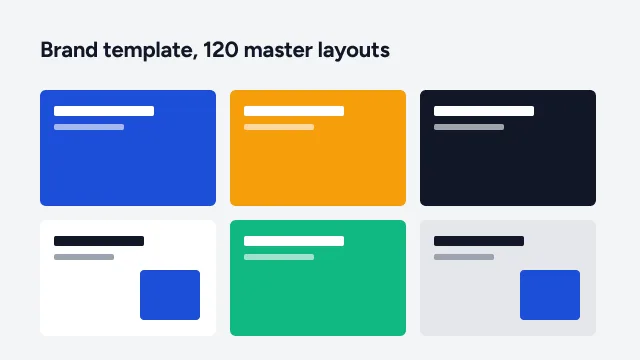
On-brand master templates and slide libraries your team can build with.
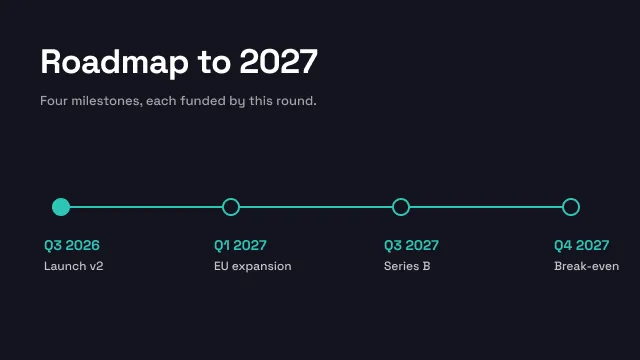
Send the deck you have. We restructure, redesign and return it.
Upload your deck or notes, or start with an AI draft. Our designers take it from there, from $10 a slide.
Change these any time from “Cookie settings” in the footer. Your choice is stored for 6 months.
Essential · always on
Sign-in, security, the cookie choice itself. Always on.
Analytics
Google Analytics 4 through Google Tag Manager: visits, pages, sources.
Marketing
Conversion and remarketing tags, only if you add them in Tag Manager.
We couldn’t save your choice. Please try again.