Event & keynote presentations
Stage-ready visuals for conferences, launches and all-hands.
- Widescreen & LED formats
- Motion design
- On-site support
Purposeful builds, morph transitions and animated charts, made with PowerPoint’s own animation so they run on any presenting laptop without extra software.

Good animation is quiet. It shows one idea at a time and makes changes easy to follow, then gets out of the way.
Reveal points one at a time
Smooth moves between related slides
Bars and lines that grow in order
Steps that appear in sequence
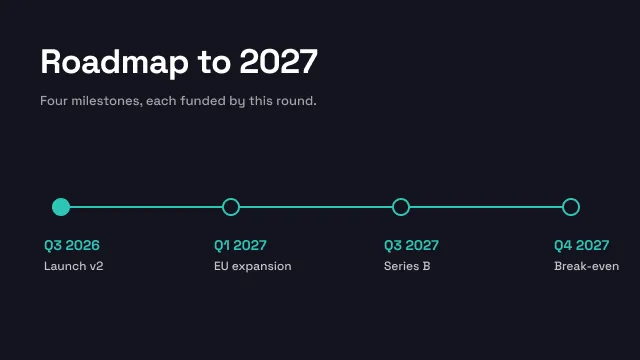
Milestones revealed as you talk
Focus on one part of a busy slide
Before and after, side by side
An MP4 for screens and social
Client names and sensitive figures are anonymised. Full case studies are shared under NDA on request.
Your deck, how you will present it and where it will be shown.
We mark which slides move and how, and animate two for approval.
Every agreed slide animated and timed.
Revisions after your rehearsal, then the final files.
Answers about motion, timing and file formats.
Stage-ready visuals for conferences, launches and all-hands.
Custom PowerPoint presentations built natively, with master layouts and editable charts.
Send the deck you have. We restructure, redesign and return it.
Upload your deck or notes, or start with an AI draft. Our designers take it from there, from $10 a slide.
Change these any time from “Cookie settings” in the footer. Your choice is stored for 6 months.
Essential · always on
Sign-in, security, the cookie choice itself. Always on.
Analytics
Google Analytics 4 through Google Tag Manager: visits, pages, sources.
Marketing
Conversion and remarketing tags, only if you add them in Tag Manager.
We couldn’t save your choice. Please try again.