

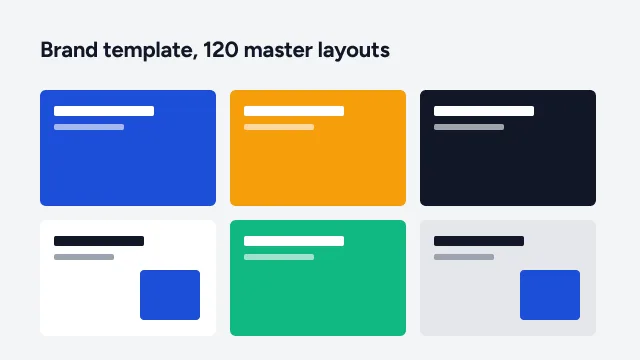
PowerPoint templates
On-brand master templates and slide libraries your team can build with.
- 40+ master layouts
- Icon & chart library
- User guide
Custom PowerPoint slides designed by presentation specialists, with master layouts, editable charts and consistent styles, so your team can keep using the deck after we hand it over.
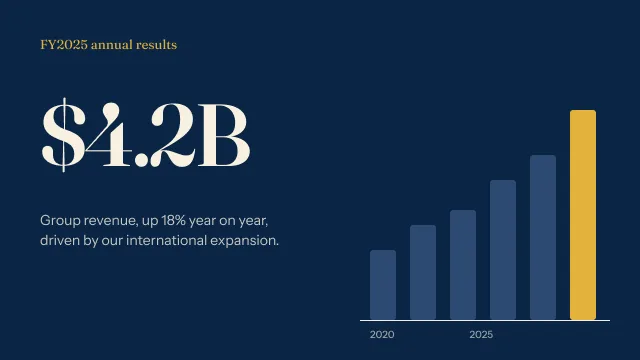
A deck that looks right is only half the job. We build it so it stays right when your team edits it.
Your fonts, colours and logo, set once
Named layouts for every kind of slide
An opening that sets the tone
A map of the deck the room can follow
Breaks that show where the story turns
Charts you can update from Excel
Clean tables with readable figures
Processes and timelines built from shapes
One consistent, editable icon style
Photos cropped and placed on the grid
A clear next step for the audience
Backup detail, kept out of the main story
Client names and sensitive figures are anonymised. Full case studies are shared under NDA on request.
Upload your current deck, notes or outline and tell us who it is for.
We agree the look on two key slides before designing the rest.
Every slide designed and built natively in PowerPoint.
Your revisions, then the final .pptx, PDF and assets.
What teams ask before they send us a deck.
On-brand master templates and slide libraries your team can build with.

Native animation, morph transitions and motion that guide attention.

Send the deck you have. We restructure, redesign and return it.
Upload your deck or notes, or start with an AI draft. Our designers take it from there, from $10 a slide.
Change these any time from “Cookie settings” in the footer. Your choice is stored for 6 months.
Essential · always on
Sign-in, security, the cookie choice itself. Always on.
Analytics
Google Analytics 4 through Google Tag Manager: visits, pages, sources.
Marketing
Conversion and remarketing tags, only if you add them in Tag Manager.
We couldn’t save your choice. Please try again.