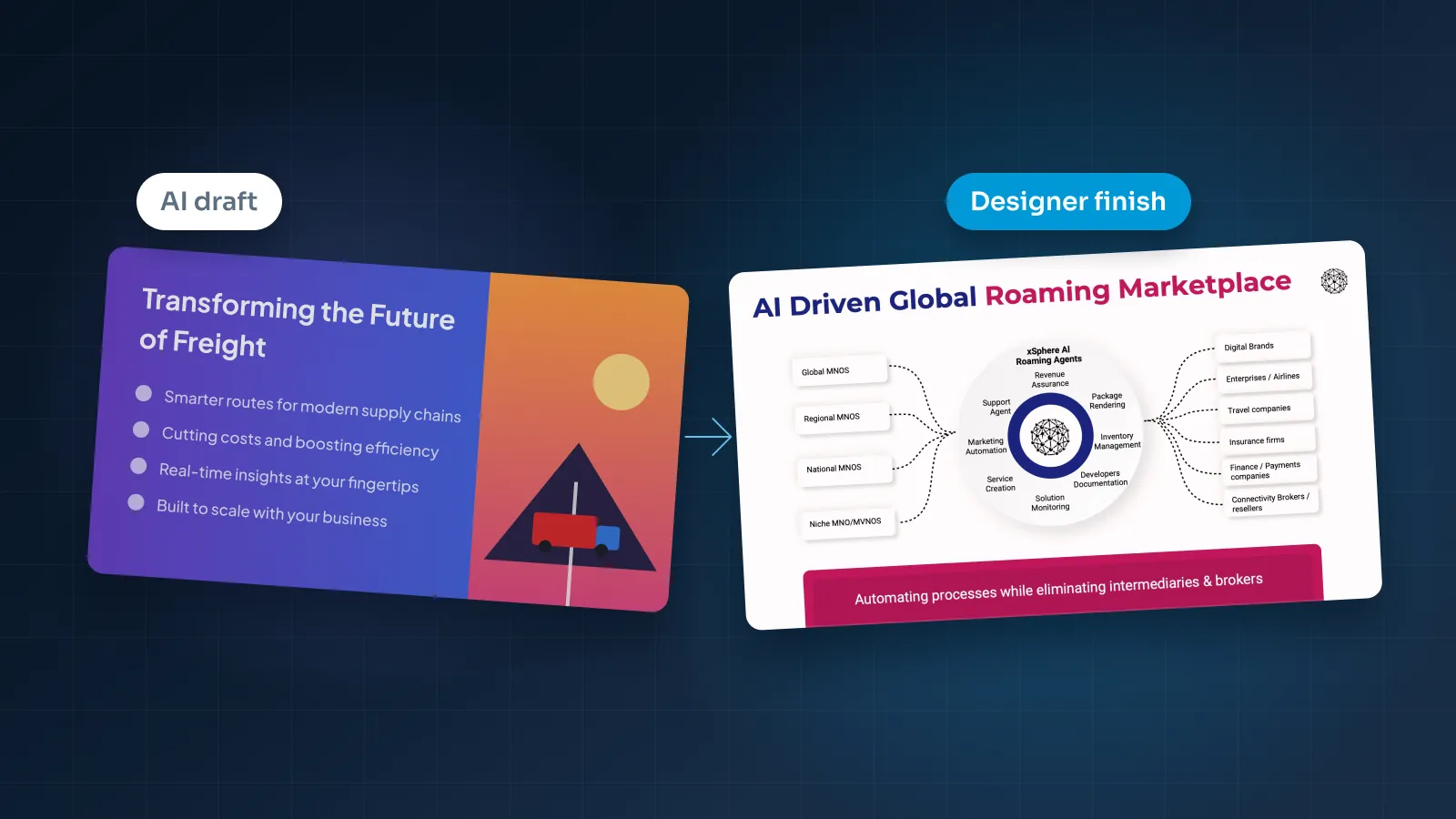
AI presentation makers can turn a prompt or a document into a full deck in minutes. That's useful, and it changes where the work on a deck begins.
We design presentations for a living, and our own service can start from an AI draft. So this isn't an argument against AI tools. It's a fair look at what they do well, where their decks fall short, and how to decide when a designer is worth paying for.
The short answer
The real question isn't AI or a designer. It's who will see the deck, and what it costs you if the deck doesn't land.
- AI alone is enough for internal updates, brainstorms, first outlines and quick decks for people who already know you.
- A designer is worth it for investor pitches, sales decks, board decks, keynotes and brand templates, where the story, the brand and the numbers all get judged.
- Both together suit you when you have the ideas but not the time. AI produces the first draft, and a designer turns it into a finished, editable deck.
If you already have the content, such as a board report or a talk script, you can skip the AI step and send it straight to a designer.
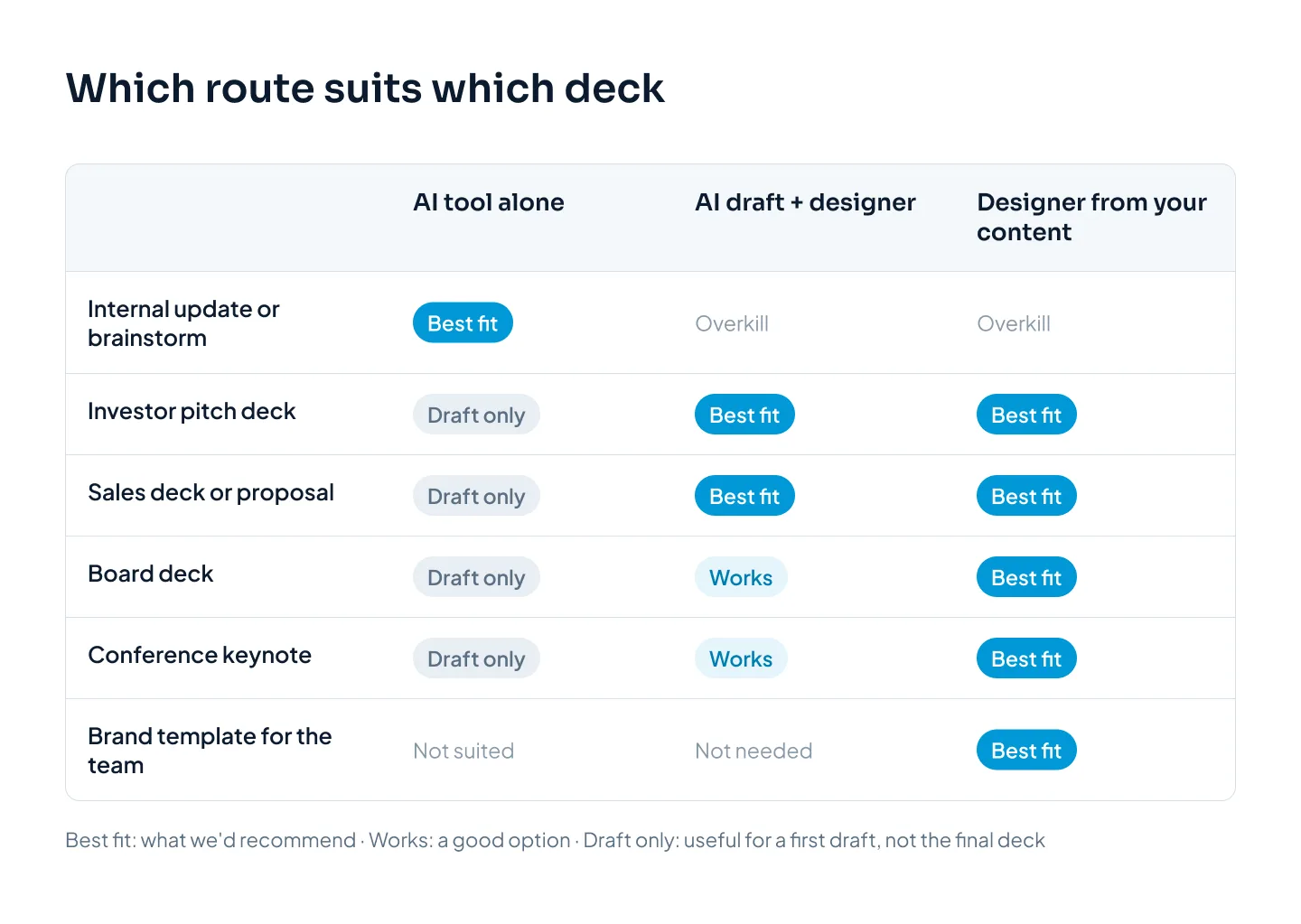
AI is fast at producing slides. A designer is good at deciding what the slides should say, in what order, and what to leave out. Those are different jobs, and the rest of this guide shows where the line falls.
What AI presentation makers do well
Tools such as Gamma, Beautiful.ai, Plus AI and Canva's AI features turn a prompt or a document into a full draft deck in minutes. Copilot in PowerPoint can draft slides from a prompt or document for Microsoft 365 customers. Gemini features in Google Workspace can help generate content and images.
PowerPoint's own Designer feature, which suggests layouts for the slide you're on, is a lighter version of the same idea.
Used for the right jobs, they save real time. Here's where they help most.
Speed
A draft that used to take an afternoon now takes minutes. For a weekly update or an internal proposal, that's often the whole job.
Speed also matters when the meeting is tomorrow and the real alternative is no slides at all.
First drafts
It's far easier to react to a draft than to start from a blank slide. An AI draft gives you something to disagree with.
A few minutes of reading shows you what's missing, what's wrong and what you actually want to say.
Structure
AI tools are good at turning a long document into a slide outline. Give one a 10-page strategy memo and it will propose sections, slide titles and a sensible order.
For familiar formats, like a pitch deck or a project update, that suggested structure is usually a reasonable place to start.
Getting unstuck
Stuck on a headline or a summary? AI is handy for rewording, shortening and offering alternatives. Ask for five versions of a slide title and you'll often find half of a good one.
The output also looks tidy. Text is aligned, colors match and every slide follows the same theme. For an audience that only needs the information, tidy is enough.
The trouble starts when the draft is treated as the finished deck.
Where AI decks fall short: story, brand, data, editable files, sameness
None of these is a reason to avoid AI. They're the gaps to close before an AI deck goes in front of people who matter to you. Our step-by-step guide to making an AI-generated presentation look professional covers the fixes in detail.
Story and argument
An AI tool arranges your content into a familiar outline. It doesn't know what your audience already believes, what they doubt, or what this meeting has to decide.
So it gives every point the same weight. Your strongest proof and a minor detail each get a title, three bullets and an image.
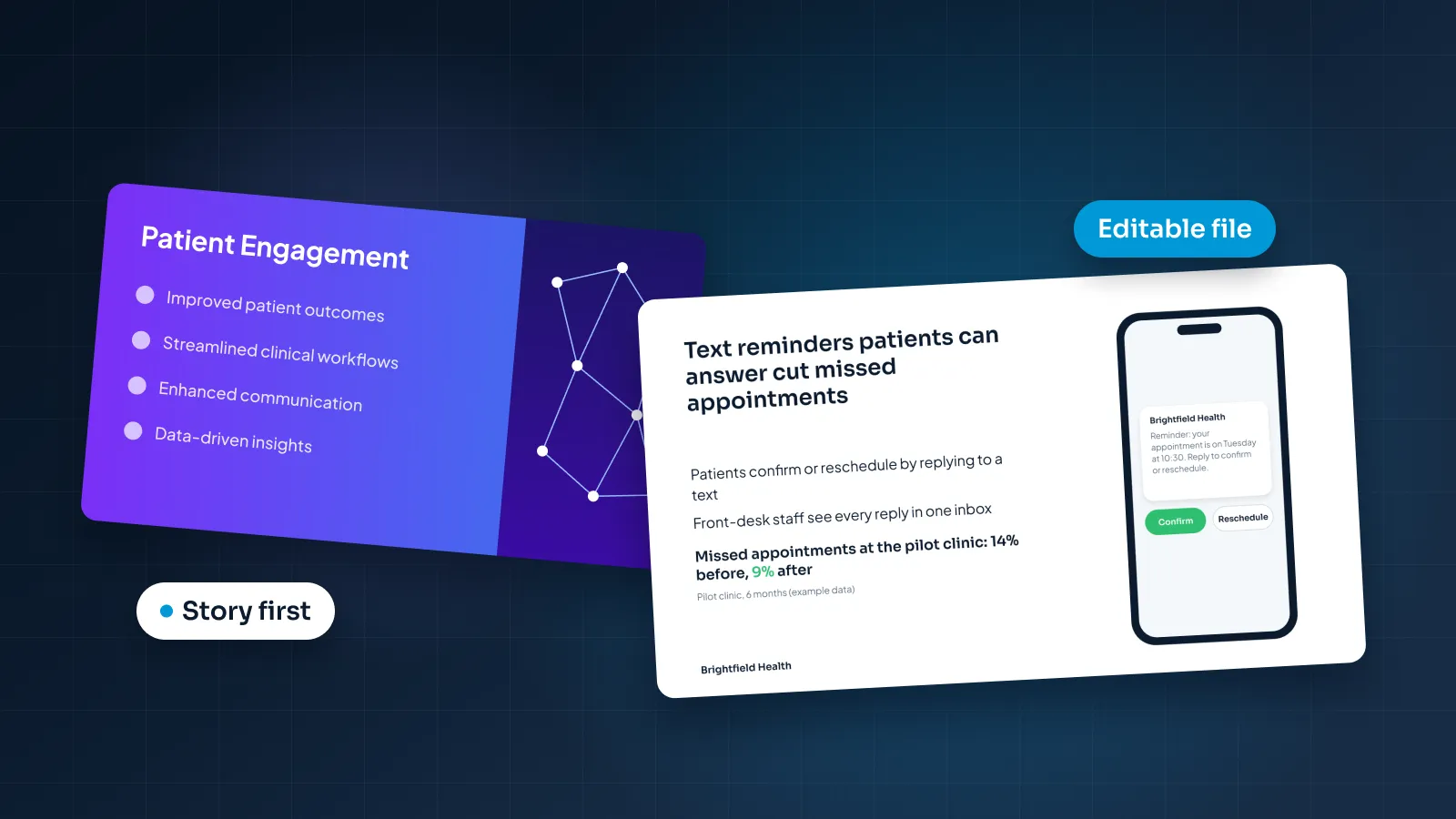
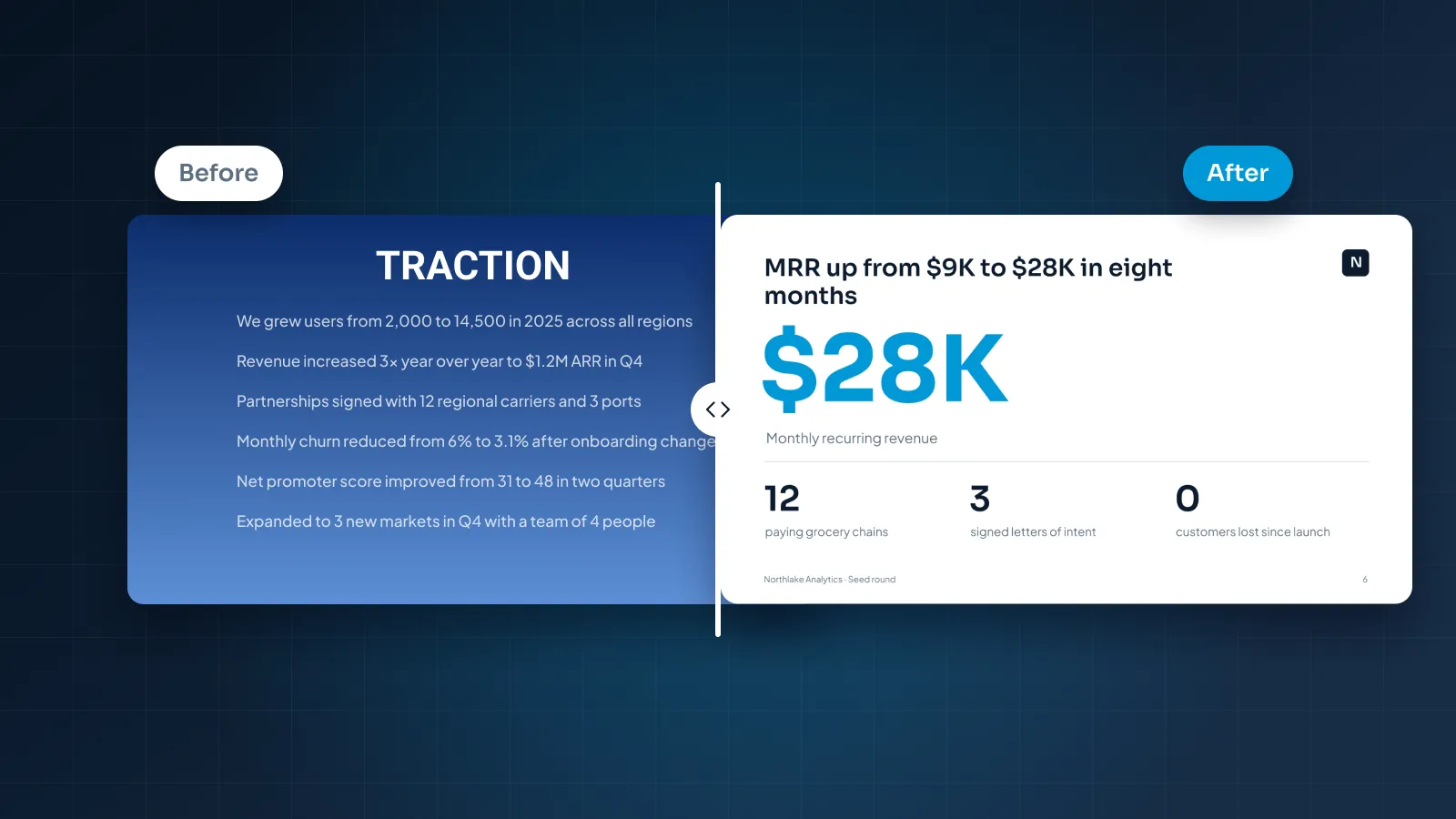
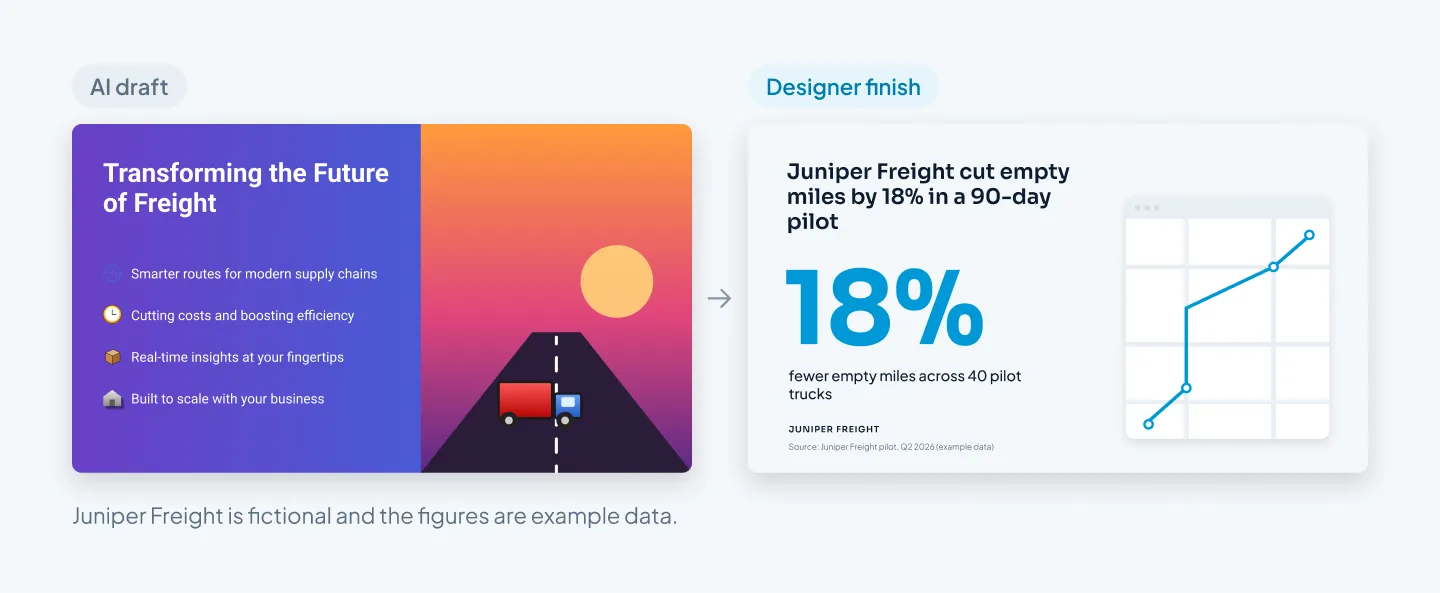
A persuasive deck makes one argument. It puts the best evidence where attention is highest. Its titles state conclusions ("Pilot customers renewed at full price") rather than topics ("Customer feedback").
Take a sales deck for Northlake Analytics, a fictional data company. An AI draft might give "Features", "Benefits" and "Integrations" a slide each. The buyer's real question is narrower: will this save my team time this quarter? A designer leads with that answer and moves the feature list to the back.
Brand fit
AI tools style a deck with a theme. Even when the colors and logo are yours, the result tends to sit near your brand rather than on it.
Brand guidelines cover far more than colors: the font pairing, how much of each color to use, photo style, chart styles, logo placement and spacing. On a customer-facing deck, near-brand looks like a template, because it is one.
Data accuracy
AI writing tools can produce numbers that sound right and aren't. Think of a market size with no source, a percentage rounded the wrong way, or a chart whose bars don't match the table beside it.
Check how the charts were built, too. If you can't open a chart's data, it's a drawing of a chart, and someone will have to rebuild it the day a number changes.
In a pitch or board deck, one wrong number costs more credibility than ten plain slides. Check every figure against your source, whoever made the deck.
Editable files
Many AI tools export to PowerPoint or PDF. But exported files often have fixed text boxes, images or layouts that are harder to edit than a deck built natively.
You notice later. A colleague adds a slide that doesn't match, text won't reflow, or next quarter's chart can't be updated.
A deck your team will reuse needs a slide master, real layouts and native charts. That's a build decision, not a styling choice.
"Native" means text that sits in placeholders on master layouts, and charts built with PowerPoint's own chart tool so the data can be updated in Excel. Nothing is flattened into an image.
Sameness
AI tools build decks from the same layout systems, so their outputs tend to look alike. You'll know the patterns: a title over three rounded cards, an image bleeding off the right edge, a row of icons with a word under each.
Investors, buyers and conference audiences see a lot of decks, and they recognize those layouts.
A familiar layout tells them nothing about you. That's harmless in an internal update. In a deck that needs to stand out, it works against you.
Judgment about what to cut
AI is good at adding: more slides, more bullets, more words. It's much weaker at taking things away.
Some of a designer's most useful work is subtraction. That means merging three slides that make the same point, moving detail to an appendix, or turning six bullets into one number.
Cutting well needs a view of what matters to this audience. That's exactly what a prompt rarely contains.
Side by side: speed, cost, quality, brand fit, editability, privacy
Here's how the three routes compare on the six things that usually decide it. "Designer" means an experienced presentation designer or studio working from your content.
| AI tool alone | Designer | AI draft + designer | |
|---|---|---|---|
| Speed | A draft in minutes | Days, depending on length | Draft in minutes, finished deck in days |
| Cost | Free plan or monthly subscription | Per slide or per project; varies widely | Tool or credits, plus design per slide |
| Quality | Tidy but generic; story depends on your prompt | Built around your argument and audience | Designer quality, with a faster start |
| Brand fit | Near your brand, from a theme | Built from your brand guidelines | Built from your brand guidelines |
| Editability | Exports are often harder to edit | Native files, if you ask for them | Native files, if you ask for them |
| Privacy | Depends on the tool's terms and settings | Ask about access, NDAs and outsourcing | Ask how drafts are used by the AI |
Three rows deserve a closer look.
Speed. Compare draft to final, not draft to draft. The AI draft is quick, but the hours you then spend fixing it count too. A designer's days of work happen while you get on with your own.
Cost. The subscription is the visible cost of an AI deck. The hidden cost is your time: fixing layouts, checking numbers and rebuilding slides that didn't export cleanly. Our guide to presentation design cost explains what designers charge per slide and why prices vary so much.
Editability. Don't assume any route gives you a clean file. Ask for native PowerPoint, Keynote or Google Slides files with master layouts, and open one before you sign off.
When AI alone is enough
Be honest about the stakes. If the deck shares information with people who already trust you, AI on its own is usually fine.
That covers:
- internal updates and team meetings, where clarity beats polish;
- brainstorms and workshops, where the deck starts a discussion;
- first outlines, to test whether a story holds up before you invest in it;
- quick decks for a small, friendly audience, like a partner you already work with;
- short-notice meetings, when the alternative is no slides.
To get the best out of an AI tool on its own:
- Give it your outline and your key facts, not just a topic.
- Edit the words yourself, replacing generic phrases with your specifics.
- Check every number against its source.
- Cut slides until each one earns its place.
- Open the exported file before the meeting, not during it.
Before an AI deck goes to anyone outside your team, run a four-question test:
- Can you read only the slide titles and follow the argument?
- Would the deck still work with a competitor's logo on it? If so, it isn't specific enough.
- Can you trace every number to a source?
- Could a colleague add a slide next month that matches the rest?
If you answer no to two or more, the deck needs more work, from you or from a designer.
When a designer pays for itself
A designer pays for itself when a better deck changes an outcome, or when it saves more of your time than it costs. That usually means one of these:
- You're raising money. Investors read a lot of decks. A clear story, honest charts and a clean layout make yours easier to follow. An AI pitch deck is a good first draft, not the version to send.
- The deck closes deals. A sales deck is used in meeting after meeting, so every improvement pays off each time.
- Your brand is on show. Board decks, client proposals and keynotes represent the company. Near-brand reads as careless.
- The data is the point. Charts need to be accurate, readable and built natively so the numbers can be updated.
- Your team will reuse it. A proper master with layouts means every future slide matches, whoever makes it.
- Your time is expensive. If repairing an AI deck would take a senior person a day, paying for design is often cheaper.
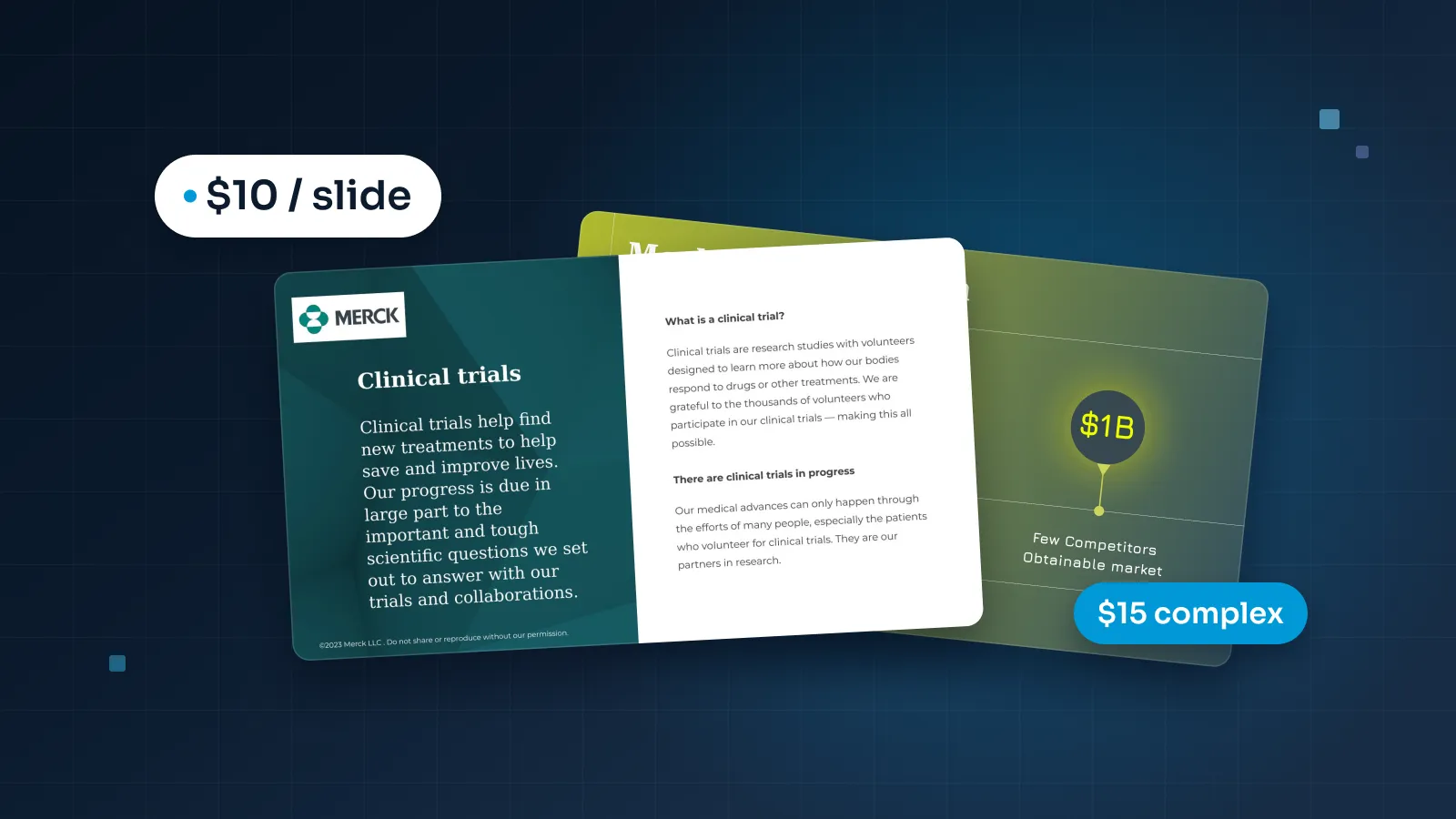
Design doesn't have to be an agency-sized line item. At Pixel Presentation, design is $10 a slide with a 5-slide minimum, so a 15-slide pitch deck is $150. Complex slides, such as custom infographics or multi-series charts, are $15. You can estimate your deck before you decide anything.
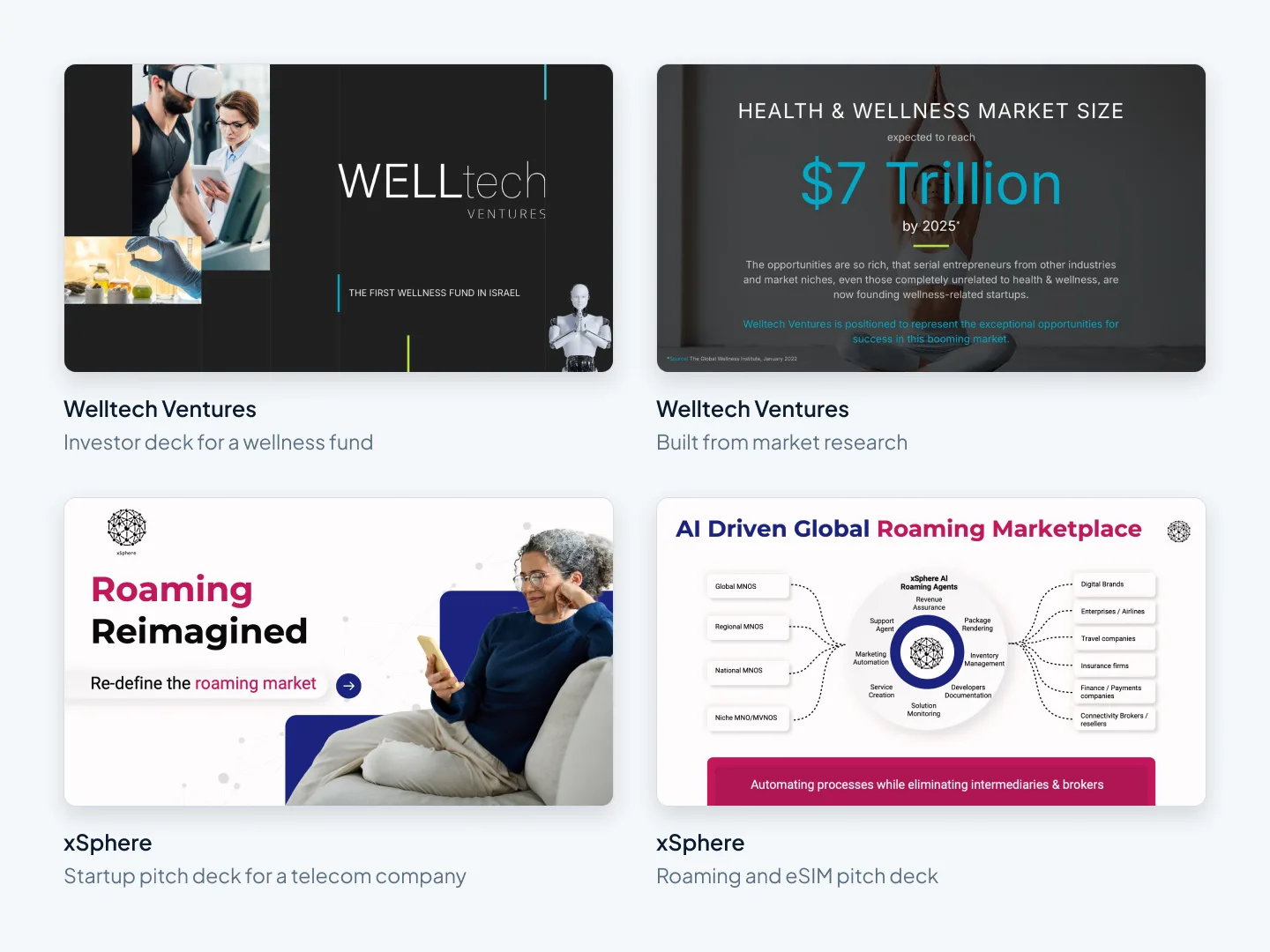
For an example of a finished deck, see the Welltech Ventures investor deck. It's an investor deck for a wellness fund, built from market research, with native PowerPoint charts.
An AI tool gives you slides. A designer gives you an argument people can follow.
The hybrid way: AI draft, human finish
You don't have to choose. For most decks that matter, the practical route is to let AI do what it's good at, then hand the draft to a designer.
That's how we've built our own service: start with AI, finished by designers. AI is optional. You can upload your own deck, document or notes, or start with a draft in our AI draft studio. Either way, a person on our team designs every slide, and each one is checked in studio QA before you see it. That's why your deck won't look AI-generated.
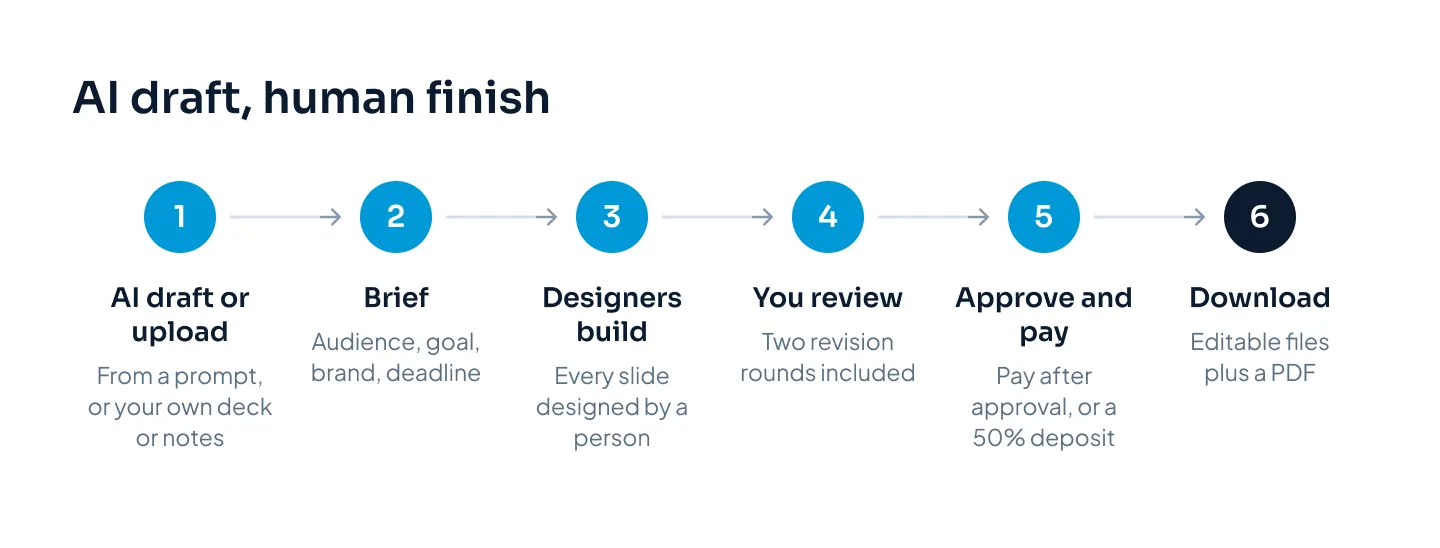
Here's how it works, step by step:
- Draft or upload. Create an AI draft from a prompt or document, or upload what you have.
- Brief. Tell us the audience, the goal, your brand and your deadline.
- Designers build the deck. They edit for clarity, like shorter headlines or splitting a crowded slide, and suggest anything bigger first. They never change your numbers.
- You review. Two revision rounds are included.
- Approve and pay. Pay after you approve, pay a 50% deposit, or pay in full upfront and save 5%.
- Download. You get editable PowerPoint, Keynote or Google Slides files plus a PDF once the invoice is paid.
New accounts get 100 free AI credits for 30 days, enough for one 10-slide draft. A draft uses 10 credits a slide, and the credits come back when you order design on that draft. You don't need credits at all if you upload your own content.
Whichever designer you use, a good handover makes the finished deck better. Send the draft, plus:
- the one sentence you want the audience to leave with;
- the source for every number, so charts are built from real data;
- your brand guidelines, fonts and logo (with us, you upload them once and they're used on every project);
- your deadline, and the slides that matter most.
The AI draft tells a designer what you want to say. The brief tells them why, and to whom.
Already have a draft from another AI tool? Send it as it is. Our presentation redesign service rebuilds it as a finished deck in 3–6 working days. To see what a designer changes, browse these before-and-after redesign examples.
The hybrid route also explains the price. When you arrive with your own content or an AI draft, designers spend their time on design rather than writing. We're a lean studio in Khulna, Bangladesh, and we pass that saving on.
What happens to your files
Before you paste a confidential deck into any tool, or send it to any designer, find out where it goes.
For AI tools, read the terms and settings on data use and model training, and check your company's policy on approved tools. If you're unsure, leave out unreleased financials, customer names and anything under NDA until you've checked.
For designers and studios, ask five questions:
- Who can see my files?
- Is any of the work outsourced?
- Will you sign an NDA before I share anything?
- How are files transferred and stored?
- If you use AI, can my files be used to train it?
Here's our answer at Pixel Presentation. Files are private to the project team, and our staff use two-step sign-in. We sign an NDA on request, before you share material, and we never outsource your project. Files move by secure transfer. Your drafts and files are used only to make your presentation. Whenever AI is involved, such as in our AI Draft Studio, it runs only on the business services of OpenAI, Google and Anthropic. Their business terms say they don't train their models on what we send them, and the material behind an AI draft you never send is deleted after 30 days.