Many agencies don't publish their prices, so the first quote you get can feel like a number pulled from the air. It doesn't have to. Presentation design is priced in a few predictable ways, and once you know what moves the number, you can compare quotes fairly.
This guide covers typical prices by provider type and what makes one slide cost more than another. Then come three worked examples using our own price list, the extra costs worth asking about, and where AI tools fit. All market figures are approximate and current as of October 2026.
The short answer
- Per slide, expect about $5 to $150 or more. Freelance marketplaces and volume studios sit at the low end, boutique agencies at the top.
- Some providers don't price per slide at all. Premium storytelling agencies quote per project, design subscriptions charge a monthly fee, and AI tools charge per user per month.
- What's on each slide matters more than the slide count. A chart with four data series or a process diagram takes far longer to build than a headline and a photo.
- The cheapest quote isn't always the cheapest deck. Revisions, rush fees, fonts, images and editable files can all change the final bill.
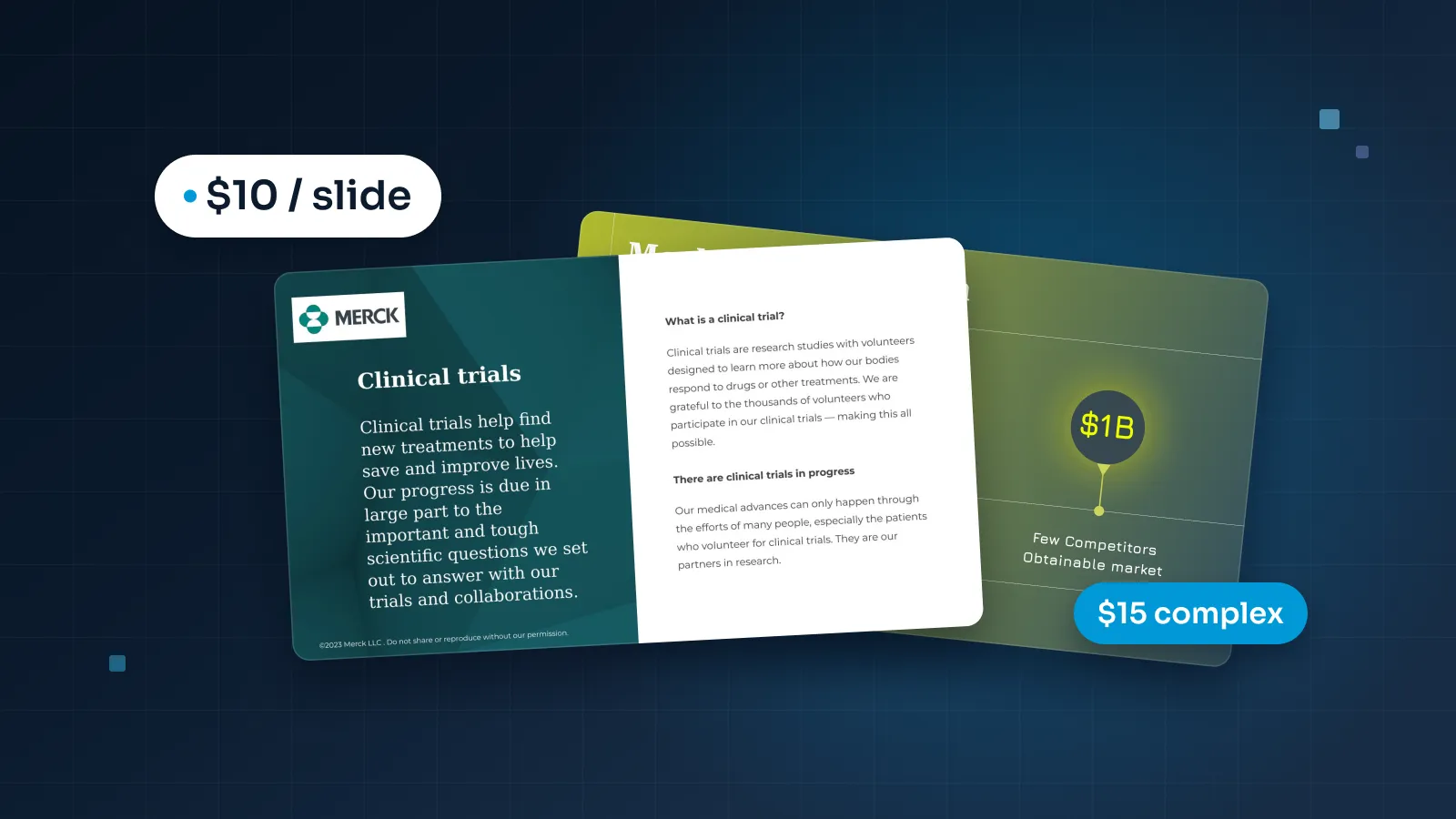
- Our price list is public: $10 a slide, $15 for complex slides, a 5-slide minimum and two revision rounds included.
If you already know roughly how many slides you need, the pricing estimator gives you a price in a minute. If you'd like to understand the numbers first, read on.
Price per slide by provider type
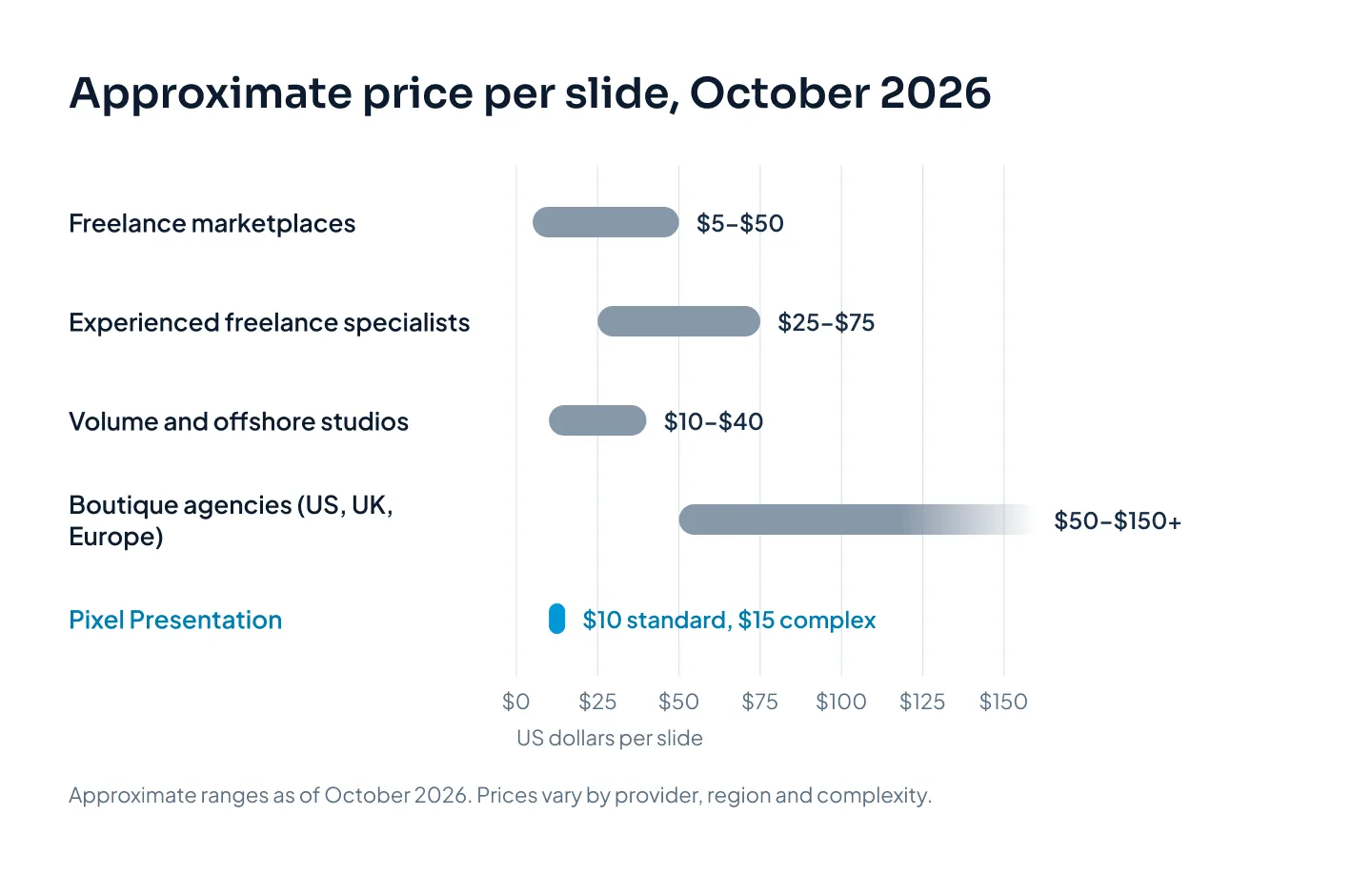
Here's what each type of provider typically charges. These are approximate ranges as of October 2026. They vary by provider, region and complexity, and many providers quote differently for different kinds of deck.
| Provider type | Approximate price | How they charge | A good fit when |
|---|---|---|---|
| Freelance marketplaces | About $5–$50 a slide | Per slide or package | The deck is simple and you can brief tightly |
| Experienced freelance specialists | About $25–$75 a slide | Per slide or per project | You want one senior designer on call |
| Volume and offshore design studios | About $10–$40 a slide | Per slide | Your content is ready and you want a team |
| Boutique agencies (US, UK, Europe) | About $50–$150+ a slide | Often per project | You want workshops in your time zone |
| Premium storytelling agencies | Often several thousand dollars for a pitch deck; five figures for a large keynote | Per project | You need strategy and writing, not just design |
| Design subscriptions | Several hundred to several thousand dollars a month | Monthly fee | You have design work every week |
| AI presentation tools | Free plans; paid plans about $10–$40 per user a month | Per user, per month | Internal decks and first drafts |
| In-house designer | A full salary, plus software and management time | Salary | Decks never stop and brand control matters daily |
The table hides real differences in what you get, so here's how to read each row.
Freelancers
Freelance marketplaces have the widest spread of any option, because every freelancer sets their own price. At the low end, you'll often get your text dropped into a template. At the top, experienced specialists do the same work an agency would, without the overhead.
A low-cost freelancer is the right call when the deck is short, the content is final and the stakes are modest. Think of a webinar deck, a workshop deck or an internal update that just needs to look tidy. Write a clear brief, ask for editable source files and look at past decks built in the tool you use.
The risk is consistency. Quality varies from one freelancer to the next, and if your designer goes quiet two days before a deadline, there's nobody else to call.
Design studios
Volume and offshore studios usually sit low on the per-slide scale because they work from lower-cost locations, with a team and a repeatable process. You get more than one designer, so a holiday or a sick day doesn't stall your project.
This is where we sit. Pixel Presentation is a lean studio in Khulna, Bangladesh, working mostly for clients in the US, UK, Europe and Australia, with daily overlap with their working hours. We can charge $10 a slide for two reasons. Clients arrive with their own content or an AI draft, so our designers spend their time on design rather than writing. And a lean studio can pass that saving on.
With any studio, ask who actually designs your slides and whether the work is passed on to anyone else. Every slide we deliver is designed by a person on our team and checked in studio QA, and we never outsource a project.
Boutique and premium agencies
Boutique agencies in the US, UK and Europe charge more per slide, and many price per project instead. Part of what you pay for is proximity: workshops in your time zone, a strategist in the room and an account manager who knows your business.
Premium storytelling agencies go further. They shape the narrative and write the copy as well as design the slides. When you need that thinking, a pitch deck at several thousand dollars or a five-figure keynote can be fair value. When your story is strong and your content is final, you're paying for work you won't use.
Subscriptions and in-house designers
Design subscriptions charge a monthly fee for a steady stream of requests, often across slides, social graphics and other formats. They make sense if you have design work every week. For one deck a quarter, you're paying for capacity you don't use.
An in-house designer costs a full salary, plus software and someone's time to manage them. That's worth it when presentations never stop and brand control matters every day. Even then, an outside studio is useful for launches and overflow.
AI presentation tools
AI tools are the cheapest route on paper: free plans, and paid plans at roughly $10 to $40 per user a month. For an internal update or a first draft, that's often all you need. The trade-offs come later, and we cover them in the AI section below.
What makes one slide cost more than another
Two decks with the same slide count can have very different prices. The difference is how much has to be built, and how much has to be decided, on each slide.
You pay for the work on each slide, not for the number of slides.
What has to be built
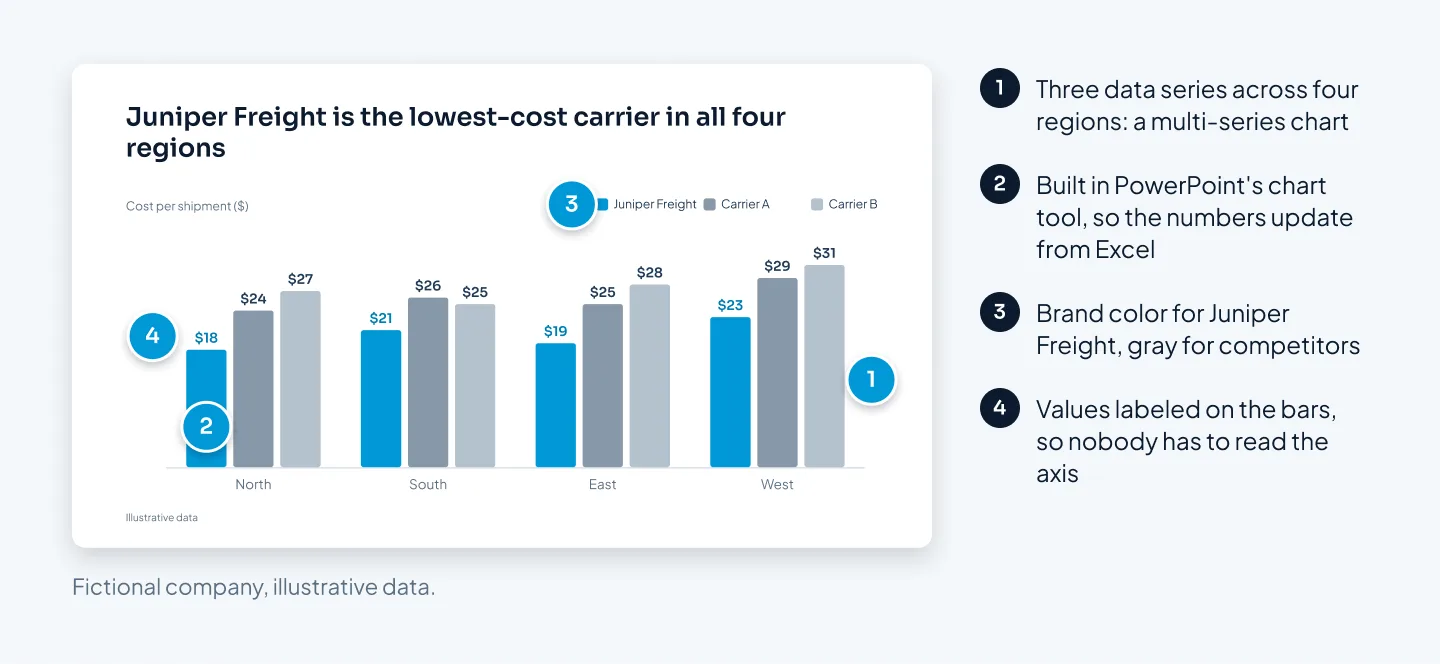
A standard slide uses elements a designer arranges: a headline, a few short points, a photo, icons, a simple chart. A complex slide needs something built from scratch: a custom infographic, a chart with several data series, a process diagram, a map or an illustration. On pitch decks, the market map and the financial model slides are usually the complex ones.
Building a clean multi-series chart takes far longer than placing a photo. Done properly, it's built with PowerPoint's own chart tool, so you can still update the numbers in Excel after delivery. That's why we charge $15 for a complex slide instead of $10, and why agencies that price per project ask to see your content before they quote.
Whether your content is ready
The biggest hidden variable in any quote is writing. If a designer has to work out what each slide should say, you're paying for a writer as well as a designer. If you arrive with final content, organized notes or an AI draft, nearly all the time goes into design.
Editing for clarity is different from writing. Shortening a headline or splitting a crowded slide in two is part of good design work. On our pitch decks and business presentations, story restructuring and copy polish are included, and we can write from your notes or a call on request.
Your brand
If you have brand guidelines, the designer applies your fonts, colors and logo. If you don't, someone has to decide how the deck should look before slide one, and that takes time. A reusable brand template is a separate project with its own price, covered in the worked examples below.
Motion and speaker notes
Animation adds work to each slide: deciding what moves, in what order, and testing it on screen. Speaker notes set up for presenter view add a little more. Both are usually priced per slide, so you choose where they earn their place. With us, animation is $3 a slide on the slides you pick, and speaker notes are $2.
Worked examples: a pitch deck, a sales deck, a brand template
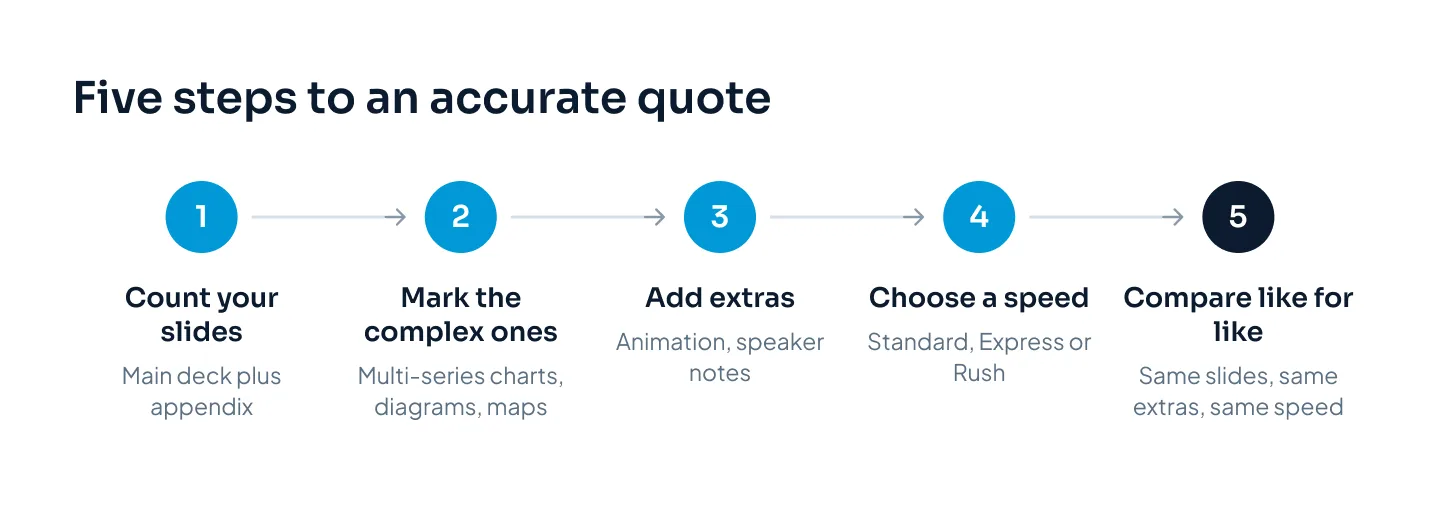
Here's how the numbers add up on three common projects, using our published prices. The method works for any quote: count the slides, separate standard from complex, add extras, then apply the delivery speed.
| Item | Price | Notes |
|---|---|---|
| Standard slide | $10 | 5-slide minimum |
| Complex slide | $15 | Custom infographics, multi-series charts, diagrams, maps, illustrations |
| Animation | +$3 a slide | Only on the slides you choose |
| Speaker notes | +$2 a slide | Set up for presenter view |
| Express delivery (48 hours) | +25% of the design fee | When a designer has the hours free |
| Rush delivery (24 hours) | +50% of the design fee | When a designer has the hours free |
| Extra revision round | $25 | Two rounds included on every order |
| PowerPoint template | From $150 | Depends on the layouts and libraries |
To compare a per-project quote with per-slide prices, divide it by your slide count. Then check what else it includes, such as strategy workshops or writing.
A 12-slide pitch deck with two complex slides
Juniper Freight, a fictional seed-stage logistics startup, needs a 12-slide deck. Ten slides are standard: cover, problem, solution, why now, product, traction, business model, go-to-market, team and the ask. Two are complex: a market map of competitors and a chart from the financial model.
| Item | Calculation | Cost |
|---|---|---|
| Standard slides | 10 × $10 | $100 |
| Complex slides | 2 × $15 | $30 |
| Total | $130 |
Standard delivery for a pitch deck is five working days, with two revision rounds included. Paying in full upfront saves 5%, bringing the total to $123.50. Need it in 48 hours instead? Express adds 25% to the design fee: $130 × 0.25 = $32.50, for a total of $162.50.
Story restructuring and copy polish are included, and the founders' numbers stay exactly as they wrote them. For finished market and financial slides, see the Welltech Ventures investor deck, built from market research with native PowerPoint charts. Our guide to what a pitch deck costs compares every route, from templates to full-service firms.
A 30-slide sales deck with animation and Express delivery
Northlake Analytics' sales team needs a 30-slide deck by the end of the week. They want animation on 10 slides, so the product walkthrough builds step by step, and Express delivery.
| Item | Calculation | Cost |
|---|---|---|
| Design | 30 × $10 | $300 |
| Express (48 hours) | 25% of $300 | $75 |
| Animation | 10 × $3 | $30 |
| Total | $405 |
Notice that Express applies to the design fee only. Extras such as animation aren't marked up, so the 10 animated slides cost $30 at any speed.
If three of those slides were complex charts, the design fee would rise by $15 (3 × $5) and the Express charge by $3.75, for a total of $423.75. Express depends on a designer having the hours free, and you see what's available when you order.
A branded PowerPoint template
Calder Robotics wants every team to build on-brand decks without a designer in the loop. That's a template project, and it's priced differently: ours start from $150, and the final price depends on how many layouts and libraries you need.
A template includes a slide master with layouts, theme colors and fonts, chart and table styles, an icon set, example slides and a short user guide. The list of layouts is agreed in the brief, so you know the price before work starts.
Say Calder later wants a 20-slide deck designed in its new template. That deck is priced like any other: 20 × $10 = $200, or $350 or more across both projects. After that, the template earns its keep in every deck the team builds on its own. The Merck template system, built on placeholders for patient and clinical-trial content, shows what a finished one looks like.
Extra costs to ask about before you hire
The per-slide price is only part of a quote. These items can change what you end up paying, whoever you hire.
Revisions
Ask how many rounds of changes are included, what an extra round costs and what counts as a round. Ideally, one round is one consolidated set of feedback, not a week of scattered emails.
We include two rounds on every order, Express orders too. Extra rounds are $25 each, and small edits within 14 days of delivery are free.
Rush and Express delivery
Short deadlines cost more almost everywhere, because a designer has to clear other work to fit yours. Ask whether the surcharge applies to the whole invoice or only to the design fee.
Ours applies to the design fee only: Express (48 hours) adds 25% and Rush (24 hours) adds 50%, when a designer has the hours free. If you can plan ahead, standard turnaround avoids the surcharge entirely:
| Deck type | Standard turnaround | Note |
|---|---|---|
| Pitch decks | 5 working days | 48 hours with Express |
| PowerPoint presentations | 3–6 working days | Most 10–20 slide decks: 3–5 days |
| Google Slides and Keynote | 3–6 working days | Built natively in each tool |
| Presentation redesign | 3–6 working days | Your existing deck, redesigned |
| Sales decks | 5–8 working days | Built in modules you can reorder |
| Corporate decks | 5–10 working days | Allow more time for long decks |
| PowerPoint templates | 5–7 working days | Layouts agreed in the brief |
| Animation | 2–4 working days | PowerPoint's built-in animation, no add-ins |
| Event and keynote decks | 7–12 working days | Start two to three weeks before the event |
The clock starts when we have your content and brief, so missing content can delay delivery. If your date is close, our express presentation design page explains how the faster options work.
Fonts
If your brand uses a paid typeface, check that your license covers everyone who will edit or present the deck. If a font is missing on the presenting computer, PowerPoint swaps in another one and the layout shifts.
Designers working in Google Slides should stick to Google Fonts, so the deck looks the same for everyone. In Keynote, fonts must be installed on the presenting Mac; we can use your brand fonts and send them with the files.
Images and icons
Ask whether stock photos and icons are included in the price, and whether they're licensed for how you'll use the deck. An image found through a search engine isn't licensed just because it's easy to download. If you have your own photography or product screenshots, send them.
File formats and editability
This is the extra cost that arrives months later. Ask for native, editable source files: real text, real shapes and charts you can update. A deck delivered as flattened images, or converted from another tool at the last minute, looks fine on delivery day. Then it costs you a rebuild the first time your numbers change.
We deliver fully editable PowerPoint, Keynote or Google Slides files plus a PDF, each built natively in its own tool. If you need a PowerPoint version of a Google Slides or Keynote deck, we check the converted file and fix what breaks, since some features differ between tools.
Minimums, payment and long decks
Ask about minimum orders, deposits and when you receive the files. Ours: a 5-slide minimum, and you can pay after you approve the final deck, pay a 50% deposit, or pay in full upfront and save 5%. The editable files are released once the invoice is paid. Very long decks are welcome; over 100 slides, ask us for a quote.
AI tools vs designers: what you save and what you pay later
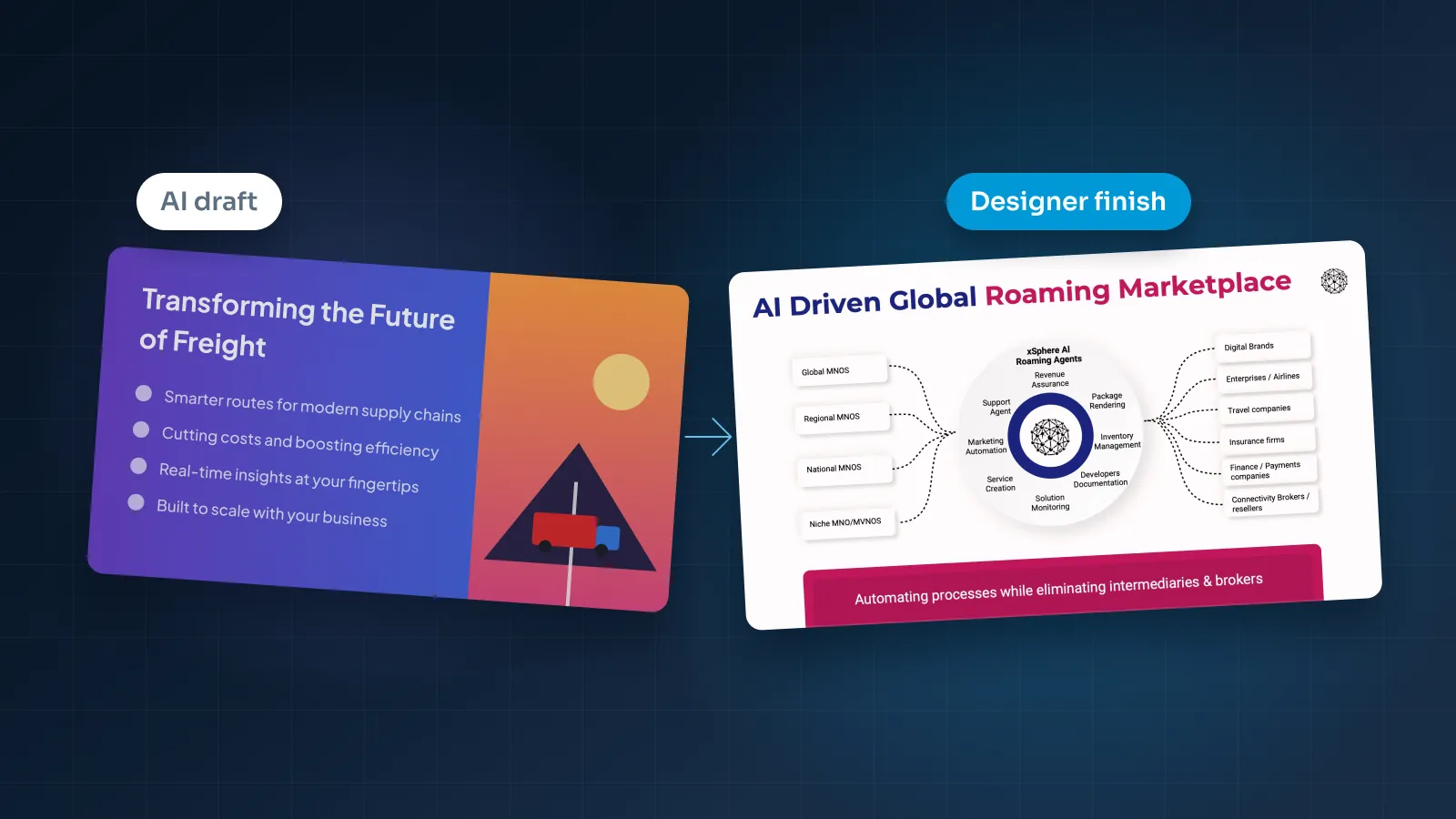
AI presentation tools turn a prompt or a document into a full draft deck in minutes. Copilot in PowerPoint does something similar for Microsoft 365 customers. Nothing else gets you to a first draft that fast or that cheaply.
What you save is real. For a weekly team update, an internal training session or a rough idea you want to see as slides, an AI tool is often the right call. Paying a designer there would be a waste of money.
What you pay later tends to show up in three places:
- Editing. Many tools export to PowerPoint or PDF, but exported files often have fixed text boxes, images or layouts that are harder to edit than a natively built deck. The first big change can take longer than the draft did.
- Sameness. AI decks tend to look alike, because they're built on the same layout systems. Investors and buyers see a lot of decks, and a familiar look doesn't help you stand out.
- Judgment. A tool arranges what you give it. It's less reliable at deciding which number belongs in the headline, which slide to cut or what the audience needs to see first.
There's a middle route, and it's the one our studio is built around: start with an AI draft for speed, then have a designer finish it. New accounts get 100 free credits for 30 days, enough for one 10-slide draft. A draft uses 10 credits a slide, and the credits come back when you order design on that draft. If you'd rather upload your own deck or notes, you don't need credits at all.
For a closer look at quality, brand fit and privacy, read our comparison of AI presentation makers and a presentation designer.
How to get an accurate quote
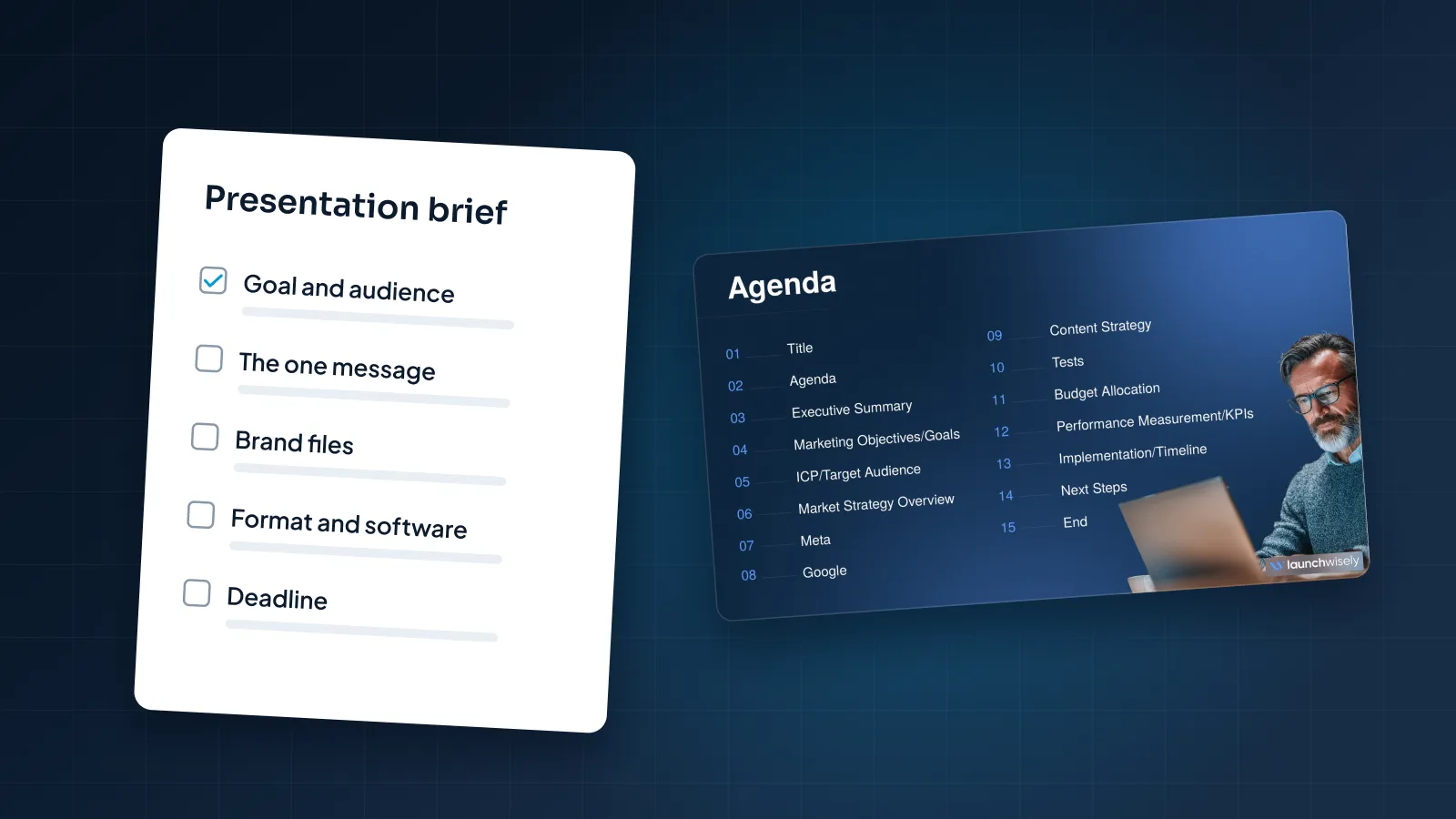
A provider who can't see your content has to price for the worst case. The more you share up front, the closer the quote is to the real job. Send:
- Your current deck, document or notes, even if they're rough.
- The slide count you expect, and which slides need charts, diagrams or maps.
- Brand guidelines: logo, fonts and colors, if you have them.
- The tool: PowerPoint, Google Slides or Keynote, and who will edit the deck after delivery.
- Your deadline, including the date you present, not only the date you need the files.
- Extras: animation, speaker notes, a template, or separate versions for sending and presenting.
Then ask every provider the same questions. How many revision rounds are included? Does the rush fee apply to the design fee or the whole invoice? Will I get native, editable files? Who designs the slides? When do I pay, and when do I get the files?
Our guide on how to brief a presentation designer covers what to send in more detail. For the questions to ask before you hire, see how to choose a presentation design agency. If you'd like a number now, the pricing estimator prices your deck from your slide count and extras.