The annual report takes months to write. The AGM presentation often gets a week, and it's the version most people actually see. Members who never open the report sit through the slides, and journalists and staff take their numbers from them.
This guide covers how to build an annual report or AGM presentation: what the deck has to do, a structure for the meeting, the year in summary, financial slides that match the report, strategy and outlook, formal items and Q&A, and how to design for a room that mixes members, press and staff. The example is Halden Cooperative, a fictional member-owned food cooperative preparing for its AGM. For the general checks every corporate deck needs, see our corporate presentation checklist.
One caution first. What an AGM must cover, and how votes are run, depends on your country, your organization type and your own governing rules. This post is about the slides. Check the formal content with your company secretary, board and advisers.
What the AGM deck has to do
An AGM deck does three jobs, often in the same hour.
Account for the year. The people who own the organization hear what happened, how the money was used and whether last year's plans came true.
Carry the formal business. Resolutions, elections and approvals have to be shown clearly enough that everyone knows what they're voting on.
Set up the year ahead. Members leave knowing what the board and management plan to do next, and why.
It isn't a board deck. A board deck helps a small group of directors oversee the business and make decisions; our board presentation guide covers that. The AGM deck reports to a much larger group, most of whom don't read financial statements for a living.
It isn't a marketing deck either. Members can tell when a year is being dressed up. The deck earns trust by being plain about results, including the ones that disappointed.
Listed companies often give a separate annual results presentation to analysts and investors. That deck can be more detailed, but the rules in this post still apply, especially the one about numbers matching the report.
A structure for the meeting
Follow the order of the agenda in your notice of meeting, so members can match each slide to the paper in front of them. A typical AGM deck for an organization like Halden runs in four parts:
Opening: welcome, agenda and any housekeeping, such as how voting and questions will work.
Report on the year: the year in summary, results against last year's promises, financial highlights and what was returned to members.
The year ahead: strategy and priorities.
Formal business: resolutions and votes, members' questions, then a close with key dates.
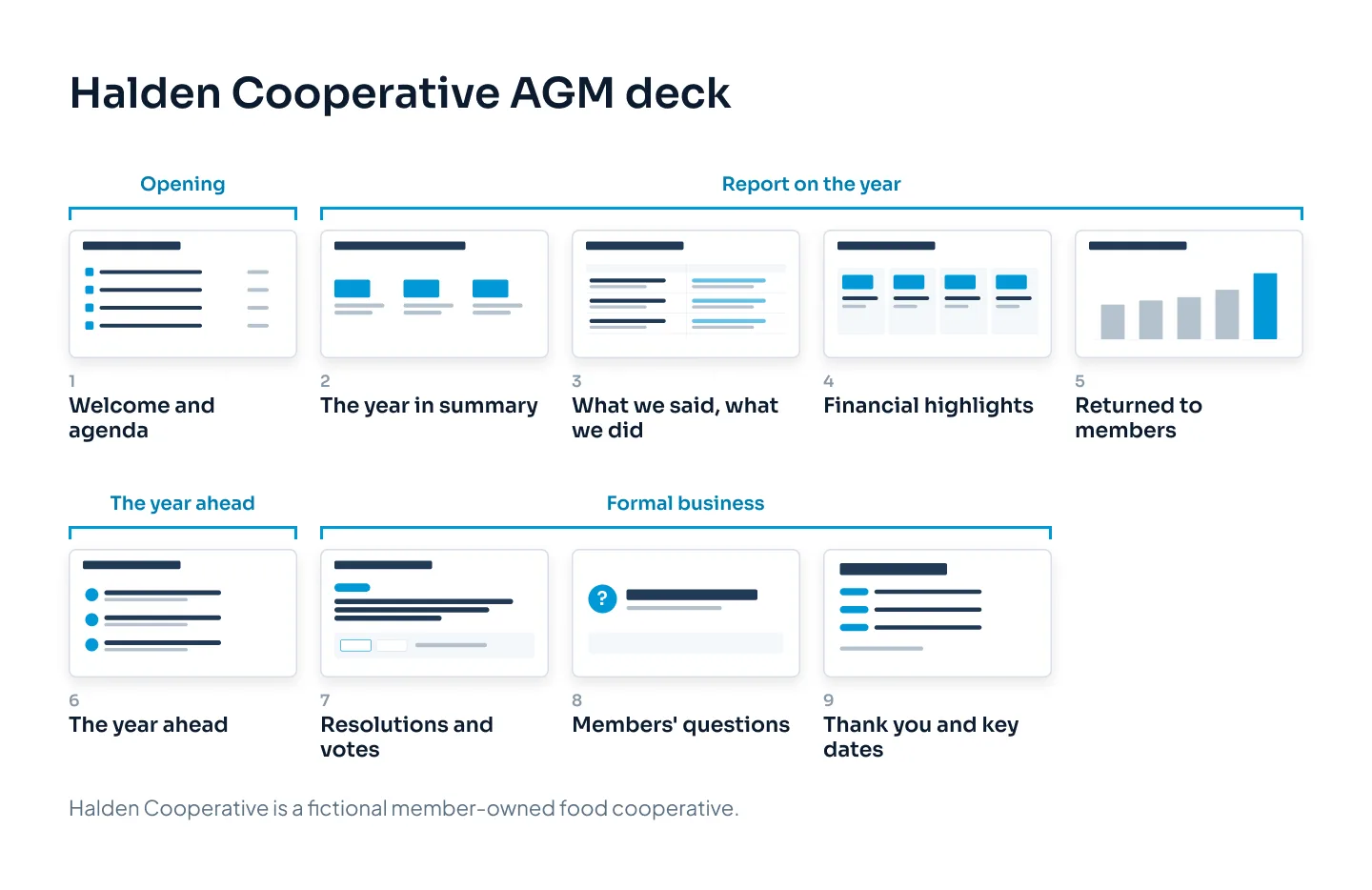
Aim for nine to fifteen main slides for most AGMs. Long reports don't need long decks. Put detail in backup slides you can show if someone asks, and point people to the page in the annual report.
If the chair and chief executive share the presenting, mark the handovers in the speaker notes and keep one visual style throughout. Members should see one organization, not two presenters' decks stapled together.
The year in summary
The first content slide answers the question every member walks in with: how did we do?
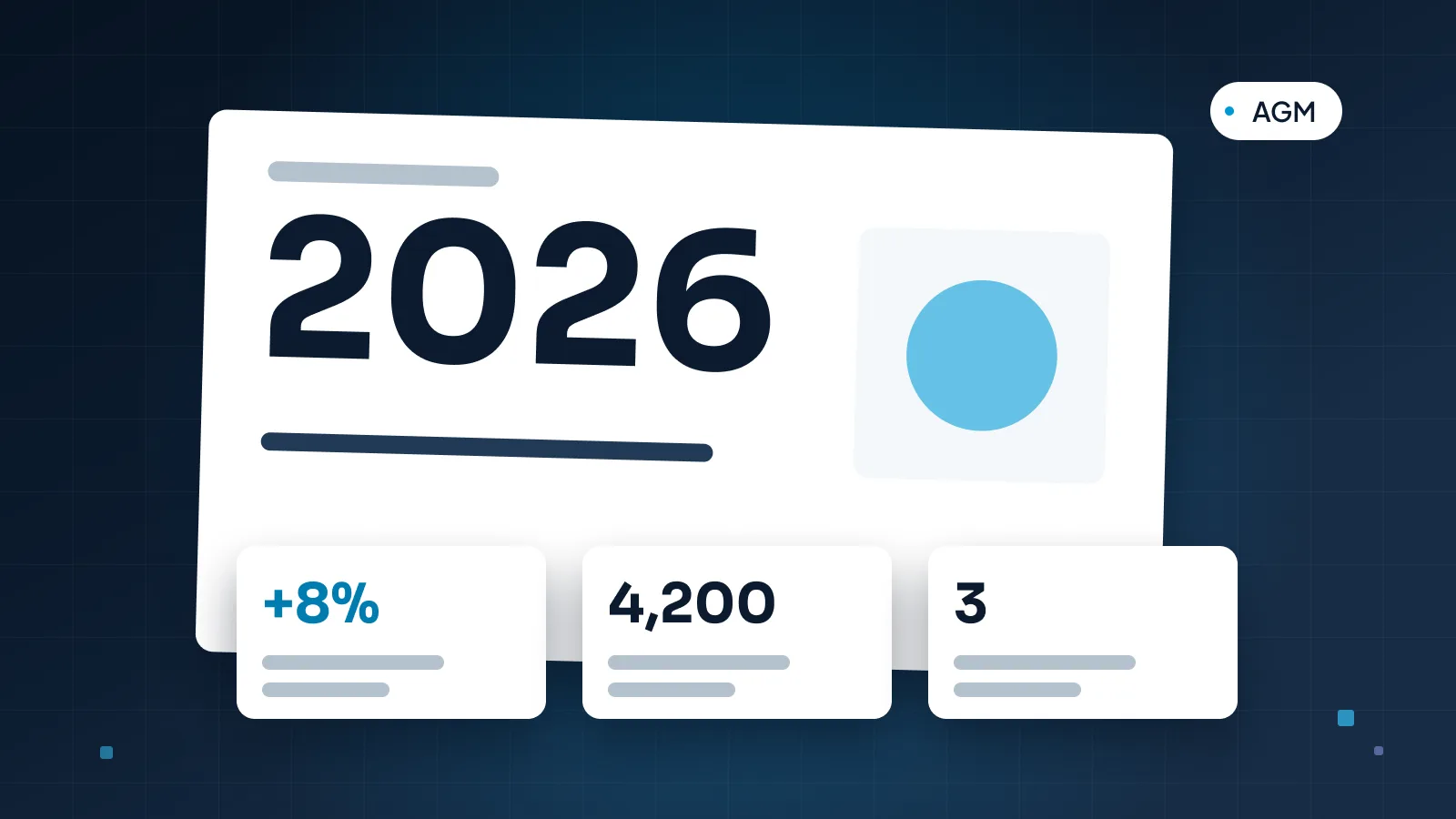
Give the answer in one sentence, as the slide title, with three to four numbers underneath. For Halden: "We opened a second store, launched online ordering and returned more to members". Under it, the numbers that prove it, each with a comparison to last year.
Then show the promises. Last year's AGM made commitments, and members remember them. A simple "What we said, what we did" slide is one of the most useful in the deck:
| What we said in 2025 | What happened |
|---|---|
| Open a second store | Done: Riverside opened in March 2026 |
| Launch online ordering | Done, three months late, in May 2026 |
| Grow membership to 32,000 | Not met: 31,400 members at 30 June |
Two rules make this slide work. Include every promise, not only the ones you kept. And give a reason and a next step for each miss, in one line: "Membership grew more slowly after the Riverside opening moved from January to March. We now expect 32,000 by December."
The year in summary slide is often the one people photograph and share. Keep it readable as a single image, with no text that only makes sense alongside the next slide.
Members forgive a missed target. They don't forgive one that quietly disappears from the deck.
Financial slides that match the report
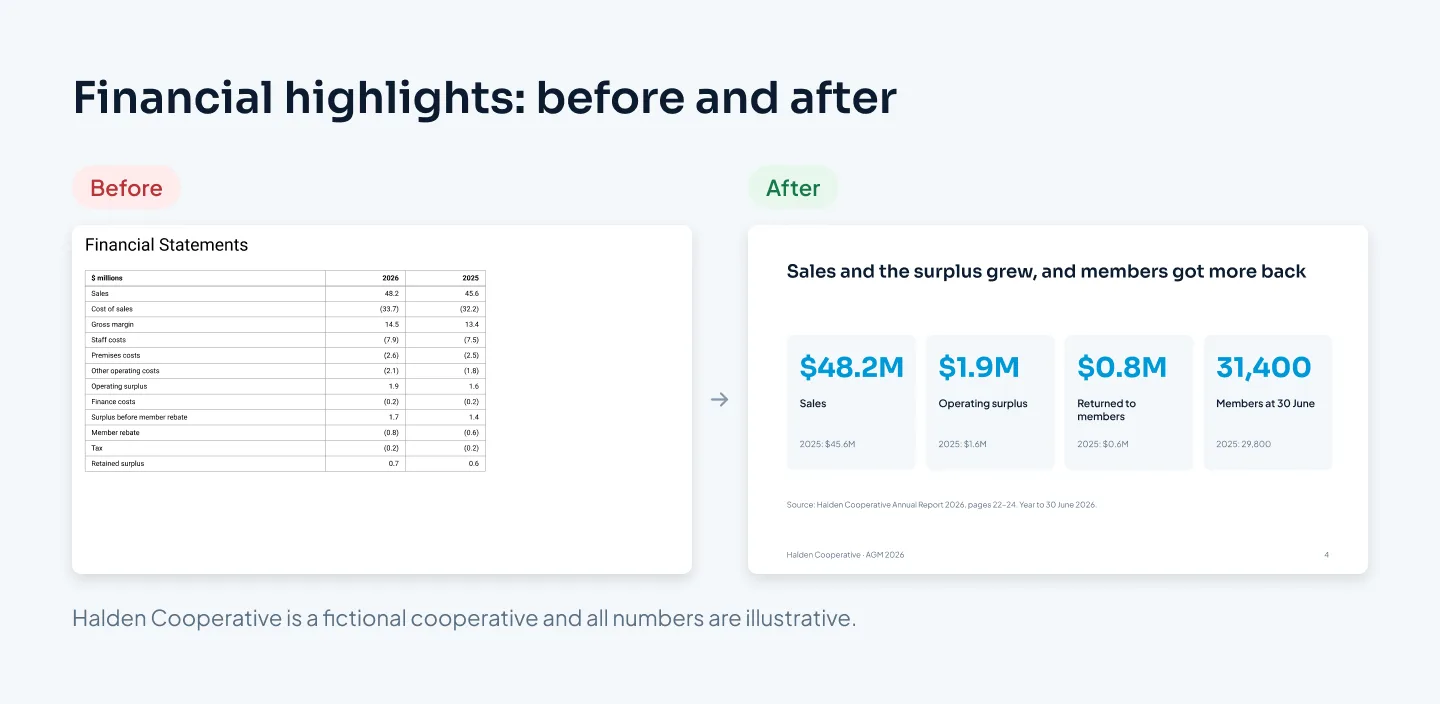
Financial slides are where AGM decks tend to get into trouble, usually in one of two ways. Either the slide shows the whole income statement in 11-point type, or it shows a number that differs from the published report.
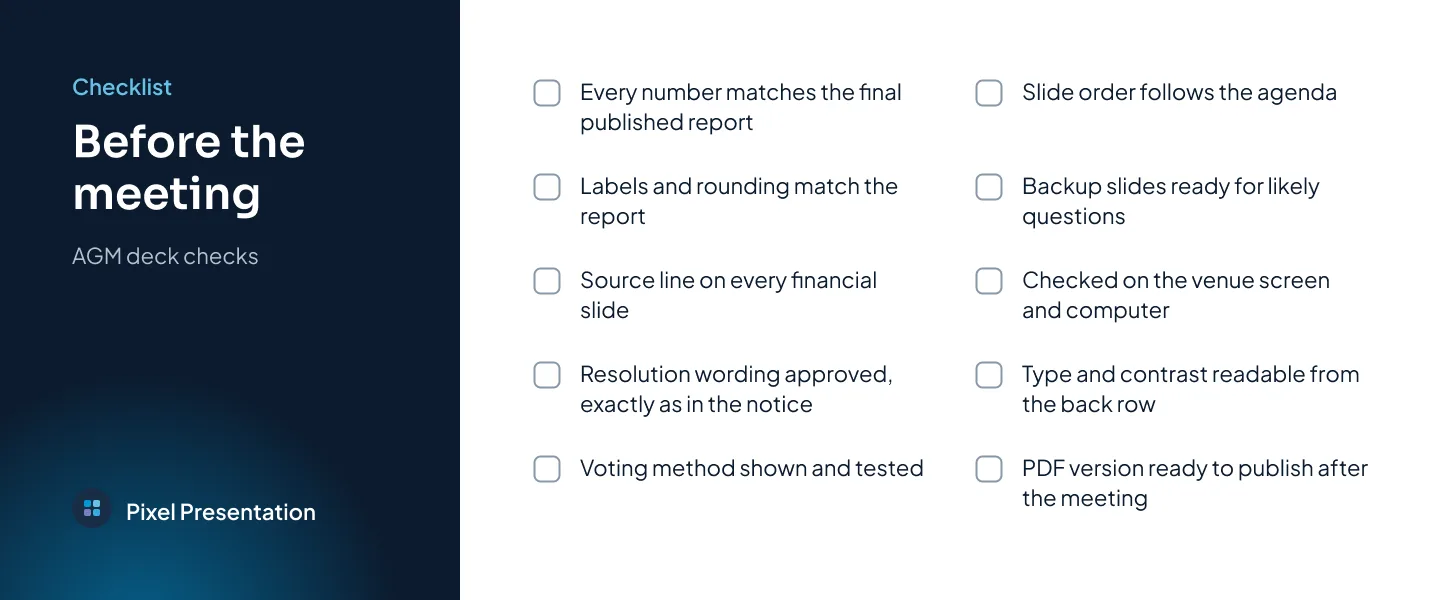
The numbers on your slides must match the audited or published report exactly. Same figure, same rounding, same label. If the report says "operating surplus" and the slide says "profit", someone will ask whether they're different things.
The safest way to get there:
Take every number from the final report. Not from a draft, a management pack or someone's spreadsheet. If the report changes, the slides change too.
Show a few headline numbers, not the statements. Four or five figures, each with last year beside it, cover what members need. The full statements are in the report.
Add a source line to every financial slide, naming the report and page.
Use the report's labels and rounding. If the report rounds to one decimal place in millions, so do the slides.
Have the finance lead check the final deck against the report, line by line, after the last edit.
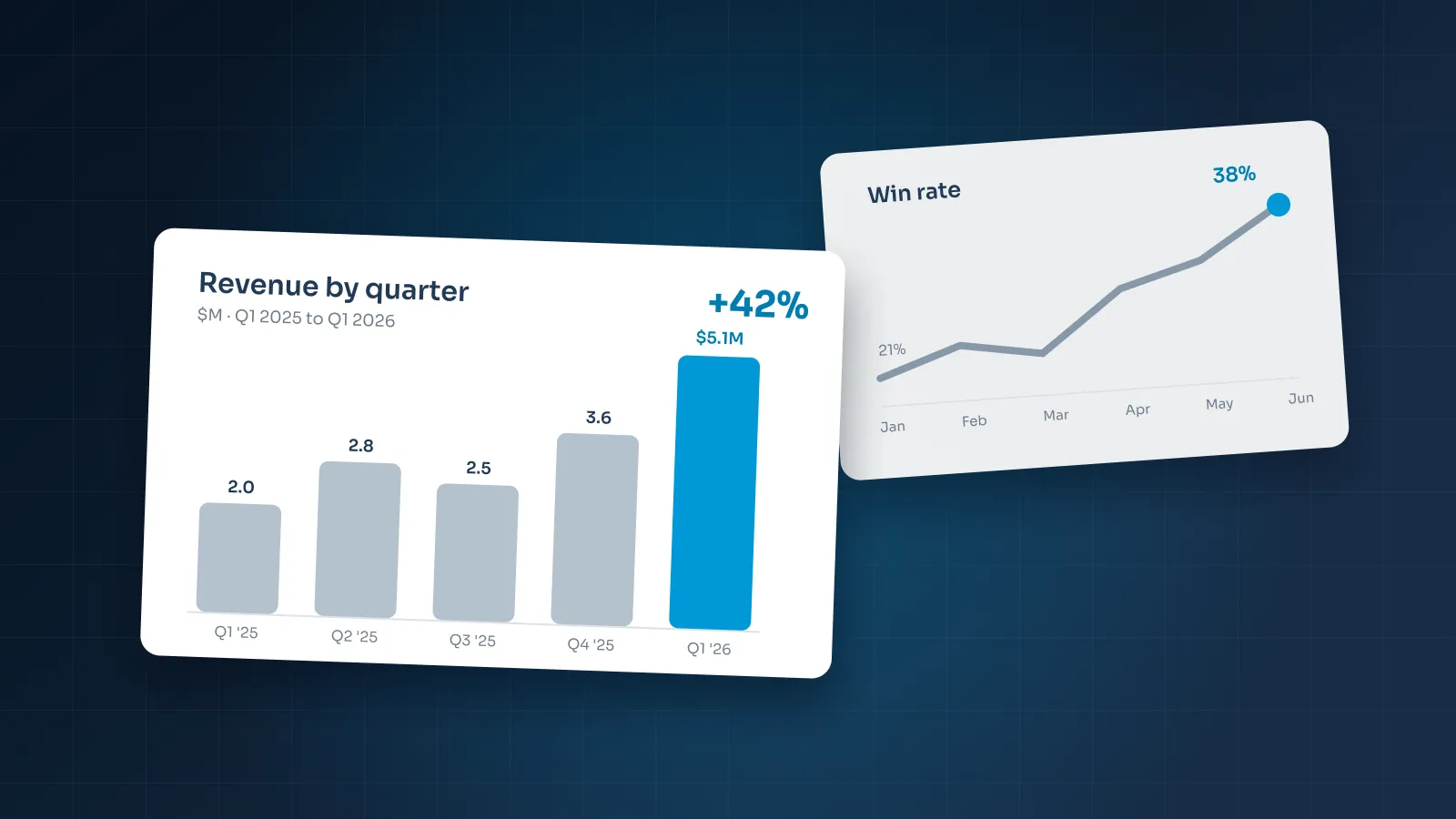
Charts help when they show change over time. A five-year bar chart of sales, or of what was returned to members, tells a story a table can't. Keep charts simple: one series where you can, values labeled on the bars, the latest year in an accent color and every bar starting at zero. Our guide to data visualization in PowerPoint covers chart choice in detail.
If a number needs explaining, explain it on the slide. A one-off cost, a change in accounting or an unusual year deserves a short line under the figure, so the question is answered before it's asked.
Strategy and the year ahead
After the look back, members want to know what comes next. Keep this section short and concrete: two to four priorities, each with what you'll do, why and how members will know it worked.
For Halden, the year-ahead slide might read:
Refit the original store, so it matches Riverside. Done by spring 2027.
Buy more from local growers, with a target the board will report on next year.
Reach 32,000 members by December, through the new online ordering service.
Each priority should be something you can report on at next year's AGM, in next year's "What we said, what we did" slide. If it can't be measured or checked, it's an aspiration, not a priority.
Write the slide titles so that, read in order, they tell the story of the year and the plan. The approach is the same one our guide to presenting to executives recommends: answer first, then the evidence.
Be careful with forecasts. Anything that sounds like a financial promise needs your board's and advisers' agreement before it goes on a slide, especially if press are in the room.
Formal items and Q&A
The formal business is the part of the meeting with legal weight, so the slides have one job: make it unmistakable what each vote is about.
One resolution per slide, with its number and wording exactly as printed in the notice of meeting. Don't paraphrase or shorten the formal text; put a plain-language summary below it if it helps.
Show how to vote on the same slide: a show of hands, a card, a ballot or an online poll, whichever your rules allow.
Show the result if it's announced in the meeting, on its own slide or as a build.
For elections, show each candidate with a photo and a one-line statement, in the order on the ballot.
Have your company secretary or adviser approve the wording on these slides before anything else is designed around them.
For Q&A, leave a simple holding slide on screen: "Members' questions", with how to ask (microphone, card or online). Prepare backup slides for the questions you expect, such as a store-by-store breakdown or what the online ordering service cost, and keep a list of their slide numbers in your speaker notes so you can find the right one quickly. Answer the question first, then show the slide if it helps.
Design for a mixed room
An AGM audience is unusually varied: long-standing members, new members, staff, local press, perhaps people joining online. Design for the person furthest from the screen who knows least about finance.
Large type. Titles around 36–40 pt and body text at 24 pt or more, because AGM venues can be large halls with modest screens.
Plain words. "What we earned after costs" can sit beside "operating surplus" the first time it appears.
One point per slide, with the title stating it.
High contrast. Text that meets WCAG's 4.5:1 contrast ratio, or 3:1 for large text, reads better on a projector too.
Color plus labels. Don't rely on red and green alone to show good and bad results.
Remote attendees in mind. If the meeting is streamed, test the slides in a small video window.
Our accessible presentations checklist covers alt text, reading order and live subtitles, which help members in the room and those who read the deck later as a file.
Test the deck on the venue's screen and computer before the day. Check that fonts display correctly and that the slide ratio fills the screen.
Make it match your annual report
Members often hold the annual report and watch the slides at the same time. If the two look and sound like different organizations, it undermines both.
Use the report as the source for everything:
Same numbers, same labels, as covered above.
Same look: the report's fonts, colors and photography carried into the slide master.
Same chart styles, so a chart in the deck is recognizably the same chart as in the report.
Same structure where you can, so "Our year" in the report is "Our year" on screen.
Same story: the chair's message in the report and the chair's slides should make the same points.
Plan the leave-behind too. Many organizations publish the slides after the meeting, alongside the report. Export a PDF and check it reads without a presenter: titles as full sentences and a source line under every number. If you also need a short year-in-review deck for partners or new staff, the same material can be reshaped into a company profile presentation.
If you'd like the deck designed for you, our corporate presentation design service covers AGM and annual report decks, usually in 5–10 working days. Design is $10 a slide, and multi-series charts count as complex slides at $15. The pricing estimator shows your exact price.